 Amanat
Text message opt-in
How people agree to receive Amanat text messages, sent by Jengishbek Nazarkul (doing business as Amanat Safety). These are the screens as people see them. Every box starts unticked, and no text is sent until it is ticked.
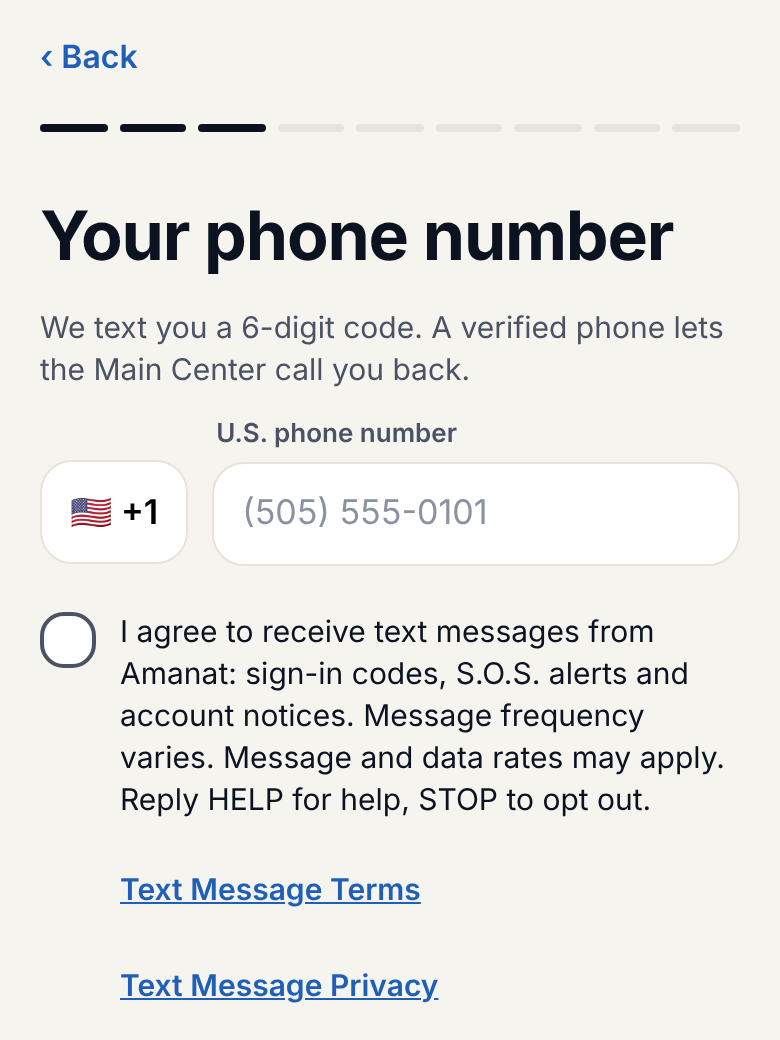
1. Drivers: the Amanat app, at sign-in
A driver types their own mobile number. The "Continue" button stays off until the box is ticked:
2. Family members: the Amanat family website, at sign-in
The same box, with the same wording, before the "Text me a code" button works:
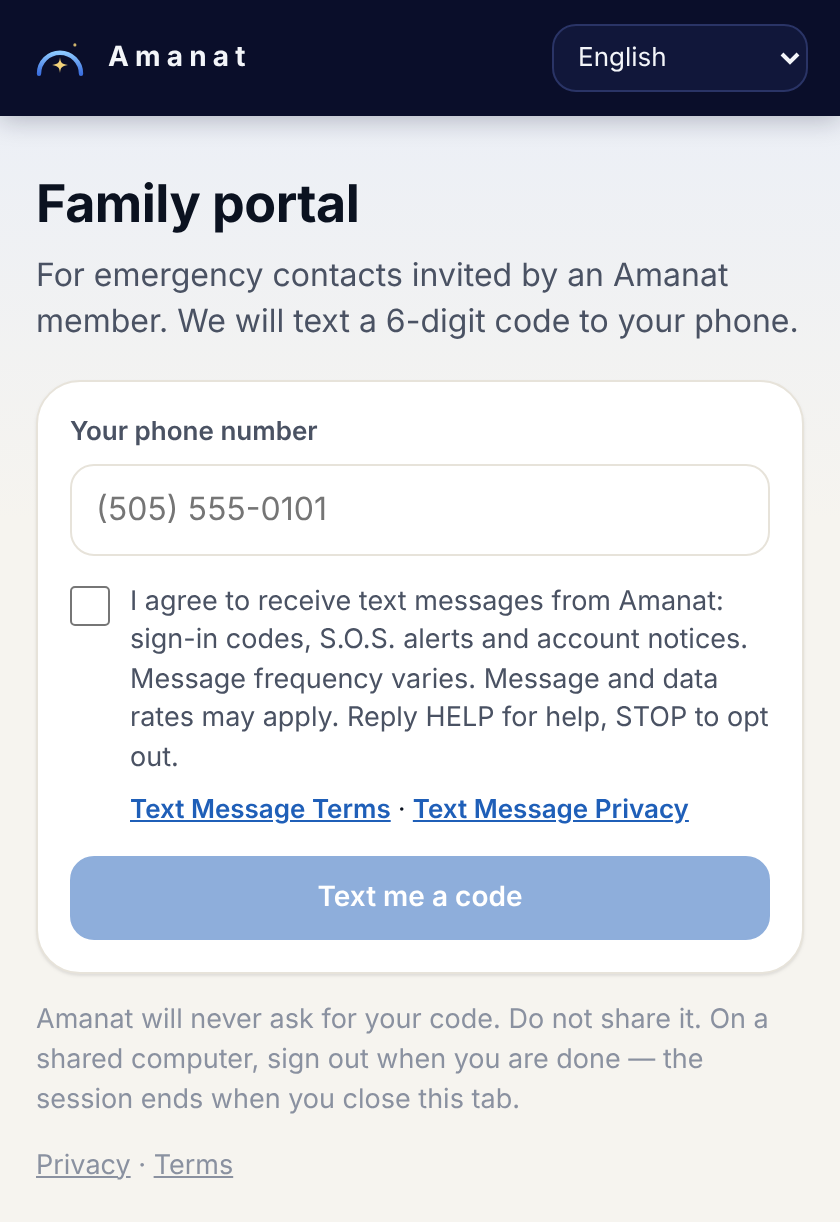
The staff sign-in page of the Amanat Main Center shows the same box.
3. Emergency contacts: added by a driver, with their permission
A driver can add a family member only after ticking this box:
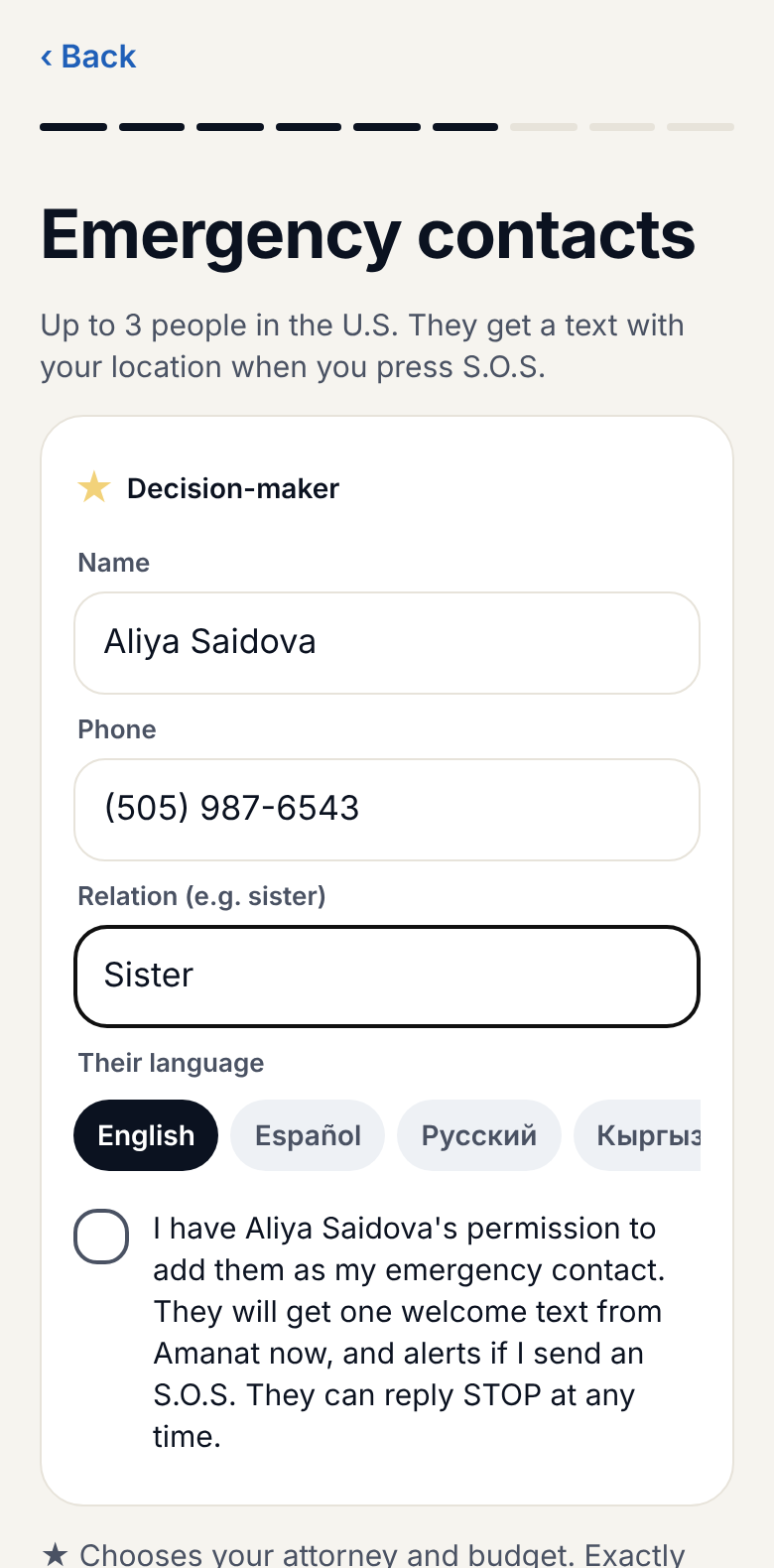
The family member then gets one welcome text that says who added them and how to stop:
Amanat: Rustam added you as an emergency contact. You will get texts only if Rustam sends an S.O.S. Msg & data rates may apply. Reply HELP for help, STOP to opt out.
4. Invitations: asked for in person or by phone
Amanat has no public sign-up. Someone who asks to join gets one invitation code by text, only after saying yes to this script, read by Amanat staff:
May we text you a one-time Amanat invitation code at this number? Message and data rates may apply. Reply HELP for help or STOP to opt out.
Full terms: Terms & Conditions (SMS Terms) · Privacy Policy. Contact: [email protected].